For producers, mills & exporters
Prove the quality of the coffee you grew
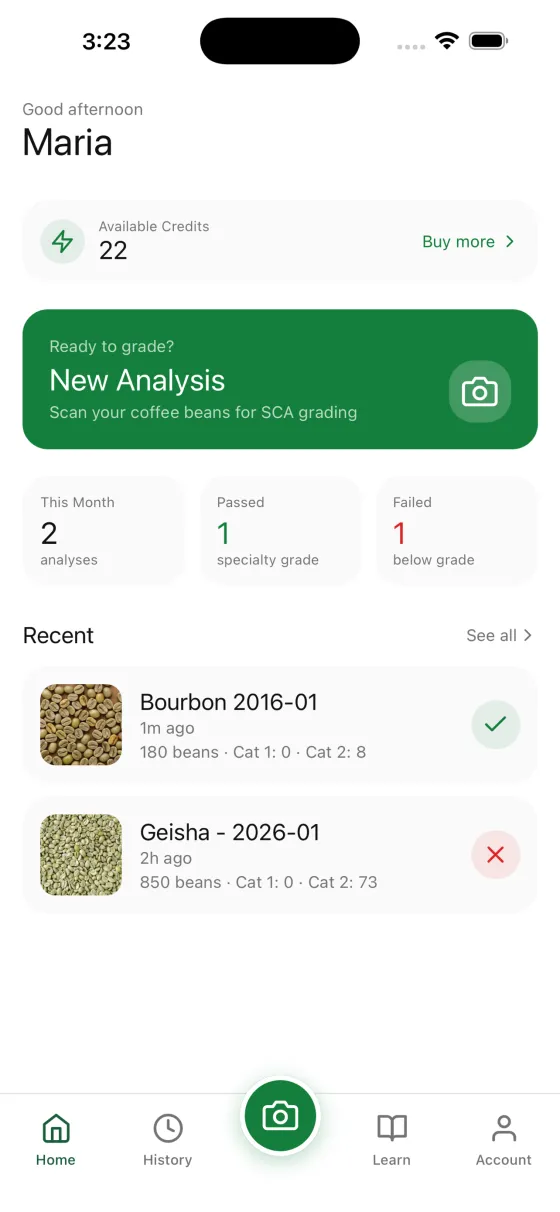
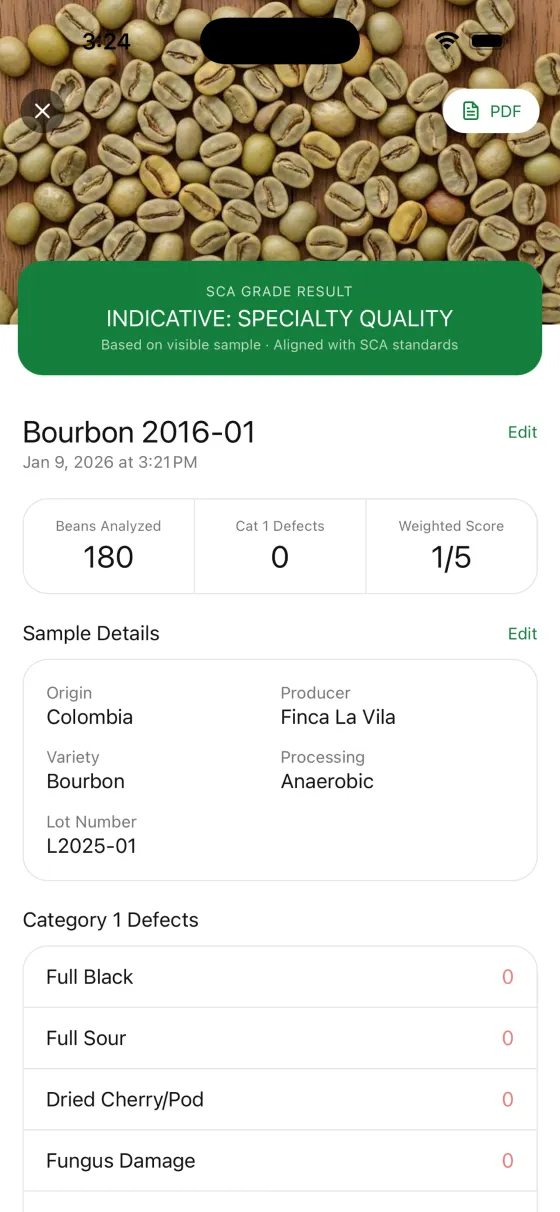
Photograph a sample of your lot and BeanGrader returns an SCA-aligned defect count with a close-up crop of every bean it flagged, a certificate any buyer can verify by code, and a public portfolio page that shows your grading history from one link.
Indicative pre-screening aligned with SCA green arabica methodology. Not official SCA certification and not a substitute for a licensed Q Grader.
Scan to install
Free to download, three free analyses, no subscription.
The asymmetry
The buyer can grade your coffee. You cannot grade theirs.
An importer receives a sample, walks it to a bench, and has a defect count the same afternoon. A producer sends the sample, waits weeks, and finds out how the lot was graded only after the price conversation has already started. The evidence sits entirely on one side of the table.
BeanGrader moves the first pass to your side of it. You grade the lot where it was produced, on the day it is ready, using the same SCA Category 1 and Category 2 framework the buyer's QC team uses, and you keep the photographs that justify every number.
That does not replace the buyer's own grading, and it is not meant to. It means the conversation starts from a shared, documented picture of the lot instead of from nothing.
Why producers use it
What it changes at origin
Prove it before it ships
Grade the lot on the patio, at the mill or in the warehouse, weeks before a sample courier could reach a buyer's lab. The record exists from the day the lot is finished.
Evidence, not assertions
A buyer does not have to take your defect count on faith. Every flagged bean comes with the cropped photo it was flagged from, so the claim and the proof arrive together.
One link for every buyer
Instead of emailing a different spreadsheet to each importer, send one portfolio URL that shows every lot you have graded and how each one scored.
Catch a problem while you can still fix it
Screening a lot after drying and again after hulling tells you whether a defect is coming from the fermentation, the drying or the mill, while there is still time to change something.
Speak the buyer's vocabulary
Results are expressed in SCA Category 1 and Category 2 defects with the standard equivalence factors, which is the language your importer's QC team already works in.
No lab, no subscription, no minimum
A phone is the whole apparatus. Analyses are paid for with one-time credit packs, so a smallholder grading four lots a year pays for four lots a year.
Per-bean evidence
Every flagged bean, as a photograph
A defect total on its own invites an argument. BeanGrader returns the crop of each bean it counted, so a disagreement about whether something is a partial black or a sour bean is settled by looking at the bean.
That is what makes the result usable in a negotiation. You can walk a buyer through the flagged beans one at a time, and they can form their own view of each call.
- A close-up crop of every bean flagged as a defect, not just a total
- Each defect labelled with the confidence behind the call
- The share of the sample that was actually assessed, stated on the result
- SCA equivalence factors applied per defect type when counting full defects
- A photo too far away, too dark or too cluttered to grade is rejected and the credit refunded
Lot passports
Put the grading record on the bag
Publish a graded lot as a passport and you get a shareable page with a printable QR code. Print it onto the bags the lot ships in, or staple it to the offer sample. Whoever opens that bag scans the code and reads the grading record for the coffee in front of them.
A passport is a link, not a file, so there is one canonical version of the record. Nothing to email, nothing buried in a thread, and no second copy that disagrees with the first.
- A printable QR code, sized to survive being stuck to a jute bag
- The full Category 1 and Category 2 breakdown, with the evidence crops attached
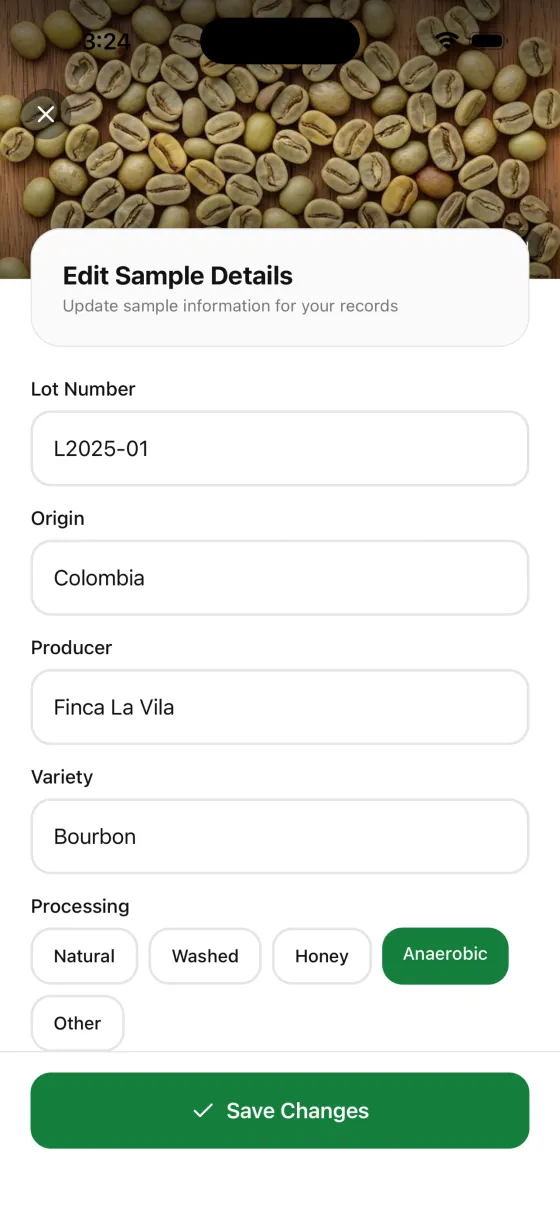
- Farm, region, variety, altitude and process travelling alongside the grade
- Opens in any phone browser: no account, no app, no login for the person scanning
- One canonical record, so there is never a second version of the report in a thread
Your public portfolio
One link that shows what you have graded
Publish your graded lots at beangrader.com/p/your-name and send the same URL to every buyer, every importer and every roaster who asks what you have.
Every lot you have graded
Each analysis you choose to publish appears with its sample photo, so a buyer sees your grading history rather than a single flattering result.
Origin, variety and process
Region, farm, variety and processing method (washed, natural, honey, anaerobic and the rest) carried on each lot exactly as you entered them.
The specialty-grade outcome
Each lot shows whether it cleared specialty grade under the SCA defect thresholds, alongside its Category 1 and Category 2 counts.
A public URL, no account required
The portfolio lives at beangrader.com/p/your-name. A buyer opens it in a browser. There is nothing to install and nothing to sign up for.
Your grading track record
The header shows how many lots you have graded and how many reached specialty grade, so consistency across harvests is visible rather than claimed.
Yours to control
You decide which lots are public. A lot that did not go the way you hoped is a lot you learn from, not one you have to publish.
Certificates & verification
A PDF the buyer can check without trusting the PDF
Every analysis exports as a PDF certificate carrying the sample metadata, the defect breakdown, the evidence crops and a verification code. Attach it to the offer sheet the way you would attach any other document.
What makes it worth attaching is the code. Anyone can enter it at beangrader.com/verify and see the record BeanGrader issued: the sample, the date, the counts, the outcome. A certificate that has been edited will not match.
Try the verification pageThe harvest workflow
Five steps, once per lot
Draw and spread the sample
Take a representative sample from the lot and spread it on a flat, evenly lit, neutral surface so the beans are not stacked.
One photo, from above
Photograph the whole sample in a single frame. There is no need to shoot it section by section; a large sample is tiled on the server and each tile graded.
Record what the lot is
Add the farm, region, variety, altitude and processing method. The metadata travels with the analysis and appears on the certificate, the passport and the portfolio.
Read the evidence
Work through the flagged beans one crop at a time. Where you disagree with a call, you are looking at the same photograph the analysis was looking at.
Certify, publish, print
Export the PDF certificate for the buyer's file, publish the lot to your portfolio, and print the passport QR onto the bags the lot ships in.
What it costs
Credits, not a subscription
The app is free to download and includes three free analyses. After that you buy one-time credit packs, which do not expire. There is no monthly fee, no per-seat charge and no minimum volume, so grading eight lots in a harvest costs what eight lots cost.
See credit packsQuestions
Producer questions
Buying rather than growing?
Grade your next lot before it leaves the farm
Install BeanGrader, grade your first lots free, and see what your portfolio page looks like.
Free to download • 3 free analyses included • No subscription